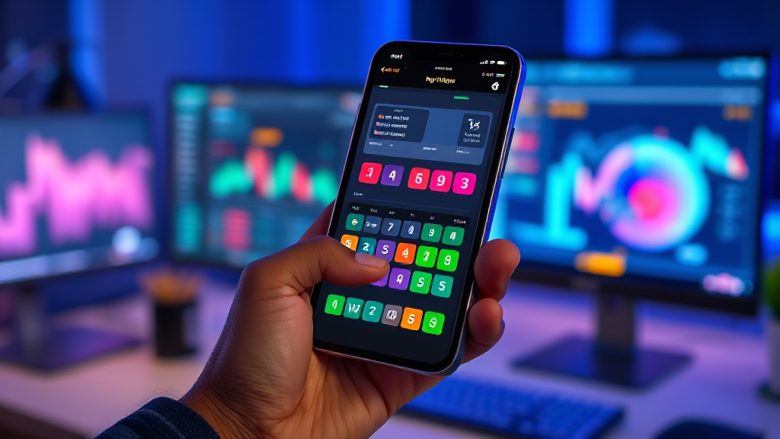
Preparing for the Big Mumbai App: What to Have Ready Before You Start
Before you tap anything, the Big Mumbai App asks for a small set of things: a working phone, a stable connection, a valid account, and a clear idea of which game mode you want. Most support tickets I handle start with someone skipping one of those four. This account follows the order in which those gaps usually surface, from the first install to the first session, and ends with the lessons that save the most time.
I work a support desk that deals with Indian online gaming accounts, and color prediction platforms produce a predictable pattern of questions. The Big Mumbai platform is no exception. The good news is that nearly every early problem is a preparation problem, not a platform problem.
What you actually need before the first launch
The first ticket of the week is almost always the same: someone installed the app and cannot get past the opening screen. When I ask what they had ready, the answer is usually “nothing special.” That is the gap.
Here is the short list I now read out to every new caller before they touch the download button.
- A phone with enough free storage for the app plus updates. A device that is already full will install slowly or fail halfway.
- A stable internet connection, ideally Wi-Fi for the first install and first login.
- A mobile number you can receive messages on, because account verification depends on it.
- A note of the credentials you choose, kept somewhere other than the app itself.
- Ten quiet minutes for the first setup, so you are not rushing through verification.
None of these are exotic. The point is that they are easy to forget, and each missing item turns into a separate support call later.
Checking your device and connection before you install
Storage is the item people underestimate. A phone showing a few hundred megabytes free is not really ready, because the install package and the first launch both need room to work. Clear old media or unused apps first, then check again.
Connection quality matters more than raw speed. A connection that drops for a second during verification can leave an account half-created, which is a messy state to fix. If your mobile data flickers at home, do the first setup on Wi-Fi.
Why the first install deserves Wi-Fi
The first launch pulls down more than the installer: account checks, interface assets, and sometimes a small update. On a weak signal this can stall, and a stalled install is the most common reason people assume the app is broken.
Battery and background apps
A phone that dies mid-verification creates the same half-finished account. Start with a decent charge, and close heavy background apps so the first session has room to breathe.
Getting the Big Mumbai download right the first time
The Big Mumbai download step is where most avoidable mistakes happen. People search for the app in a general store, find nothing, and then pick up a file from an unfamiliar link. That is the wrong path.
Always start from the official site and follow its install instructions for your device. If a page asks you to install something extra first, or promises a modified version, stop. A clean install from the official source is the only version worth troubleshooting.
After the file finishes, allow the installation when your phone asks. Some devices flag unknown sources by default; that prompt is normal for apps installed outside a store, and it is a one-time setting. Once the app opens, do not close it during the first load.
Account setup and the Big Mumbai Login step
Account creation is short but unforgiving. Use a mobile number you control and will keep, because recovery depends on it. Choose a password you can reproduce without guessing, and write it down somewhere separate from the phone.
When you reach the Big Mumbai Login screen for the first time, enter the details exactly as registered. A single wrong character produces a generic error that looks like a system fault but is usually a typing slip.
Verification codes and timing
Verification messages can take a moment to arrive. Request one code, wait, and avoid tapping resend repeatedly, which can invalidate the earlier code. If nothing arrives after a reasonable wait, check that the number is correct before trying again.
What to do if the first login fails
Slow down and check three things in order: the number, the password, and the connection. If all three are right and it still fails, stop retrying and contact support with your registered number. Repeated failed attempts are harder to untangle than a single clear report.
Understanding the Big Mumbai Game modes before you play
Once you are inside, the Big Mumbai Game area presents color and number prediction rounds. The interface is simple by design, which is exactly why new users rush. Take a few minutes to read the round timer, the selection screen, and the results history before placing anything.
Watch a couple of rounds without participating. You will learn the rhythm: when a round opens, when it closes, and how results are displayed. That small pause prevents the most common beginner error, which is acting on a round that is already closing.
Reading the round timer correctly
The timer is the single most important element on the screen. A selection made after the cut-off belongs to the next round, not the one you were watching. Users who complain about “wrong results” almost always misread this.
Keeping your own record
The app shows history, but a personal note of what you selected and when is more useful for spotting your own patterns. It takes seconds per round and turns guesswork into something you can actually review.
Common setup mistakes I see in support tickets
After enough tickets, the same handful of errors repeat. Recognizing them in advance removes most of the friction.
- Installing from an unofficial link, which leads to update failures and login errors that cannot be fixed from the support side.
- Registering with a number you do not keep, which locks you out the moment you change SIMs.
- Reusing a password from another site, which is both a security risk and a recovery headache.
- Rushing verification by requesting several codes in a row, invalidating each one.
- Playing before reading the round rules, then treating a misread timer as a platform fault.
Each of these is a preparation issue. None of them requires technical skill to avoid, only a few minutes of care at the start.
Security and account habits worth setting up early
Security habits are easiest to build on day one, before there is anything to lose. Keep the app updated from the official source, and treat your login details like bank credentials rather than forum passwords.
Use a screen lock on your phone. If you share the device, log out when you finish rather than leaving a session open. And be skeptical of anyone who offers to “fix” your account or promises results; no legitimate support process needs your password.
Updates and what they change
Updates usually fix interface issues and tighten account checks. Install them when they appear from the official source, and avoid sideloaded versions that skip the update path entirely.
When to contact support
Contact support when a problem survives the basics: correct number, correct password, working connection, official install. Bring your registered number and a clear description of what you see, and the ticket resolves far faster than a vague “it is not working.”
Lessons from the support desk
The pattern across hundreds of tickets is consistent. People who prepare first rarely call back. People who install in a hurry, register with whatever number is at hand, and start tapping before reading the round rules generate most of the queue.
So the advice I give at the end of every call is the same advice I would give at the start: sort the device, the connection, the number, and the credentials before anything else. Then take one quiet session to learn the interface. The Big Mumbai App is straightforward once those basics are in place, and almost every early problem disappears when they are.
Preparation is not a formality. On a color prediction platform, it is the difference between a smooth first week and a string of avoidable support calls.